Your executive assistant,
living in your inbox.
Compose reads every mail the moment it arrives, tells you what needs you, and keeps track of every promise. Ask what's waiting, reply, schedule, follow up — by voice or by touch. Nothing leaves without your yes.
Free for 14 days · Works with your Gmail · Personal details redacted before AI
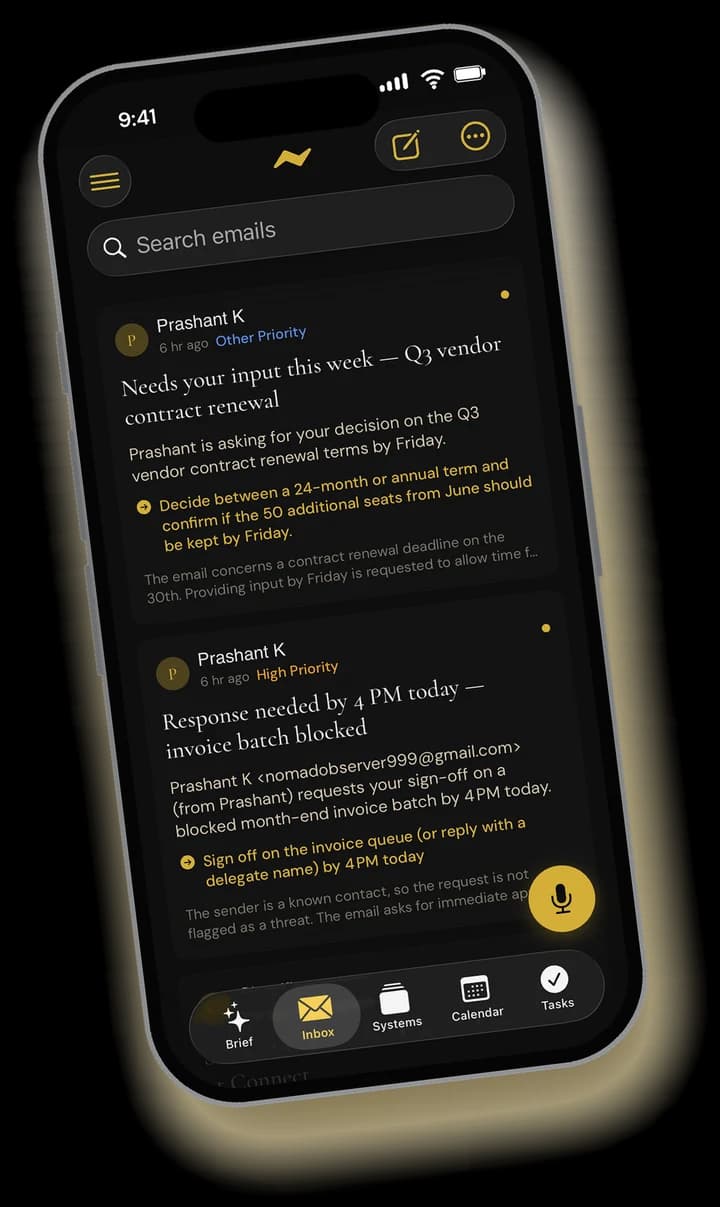
Briefed before you open it
Every mail is read as it lands: what it asks, by when, and what silence would cost.
A voice assistant that acts
Hear what is waiting, reply, schedule and delegate — hands-free, with a read-back before anything goes.
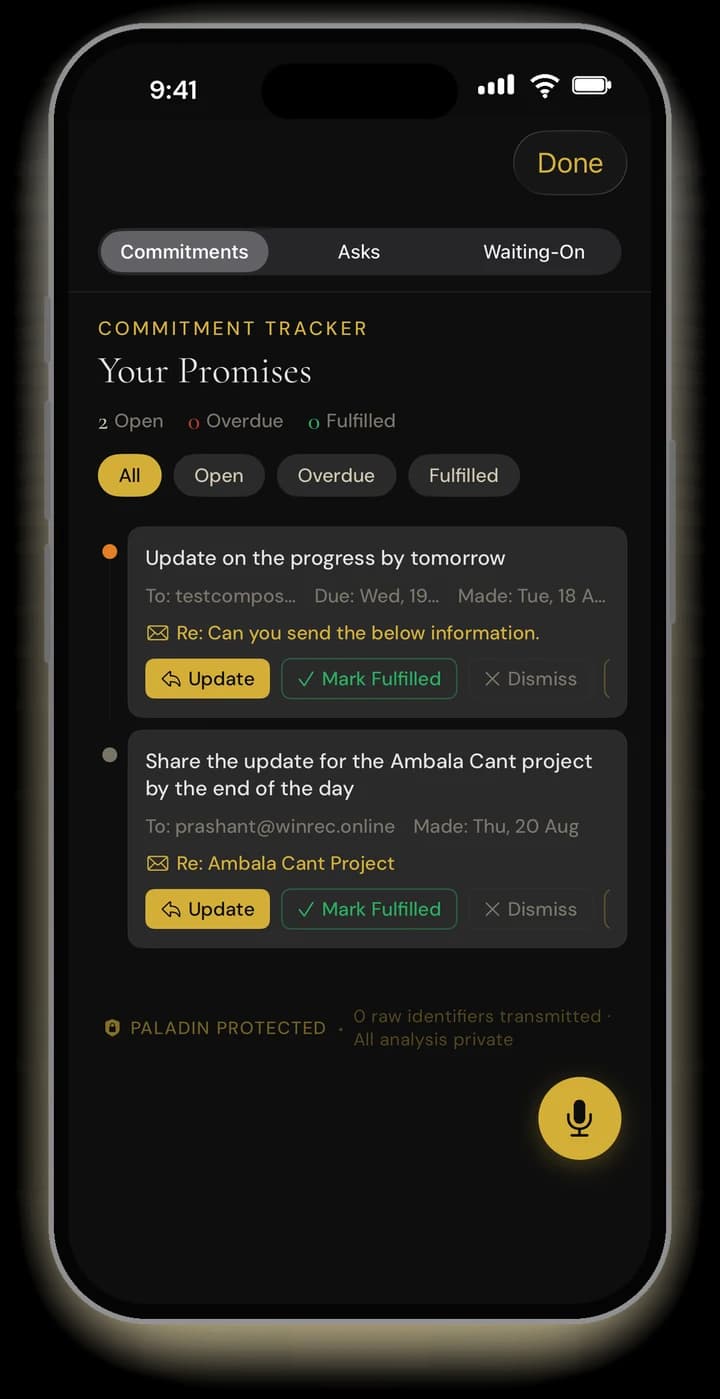
Every promise tracked
What you owe, what you are owed, and what you are waiting on — kept for you until it is done.
Talk to your inbox.
It answers — and it acts.
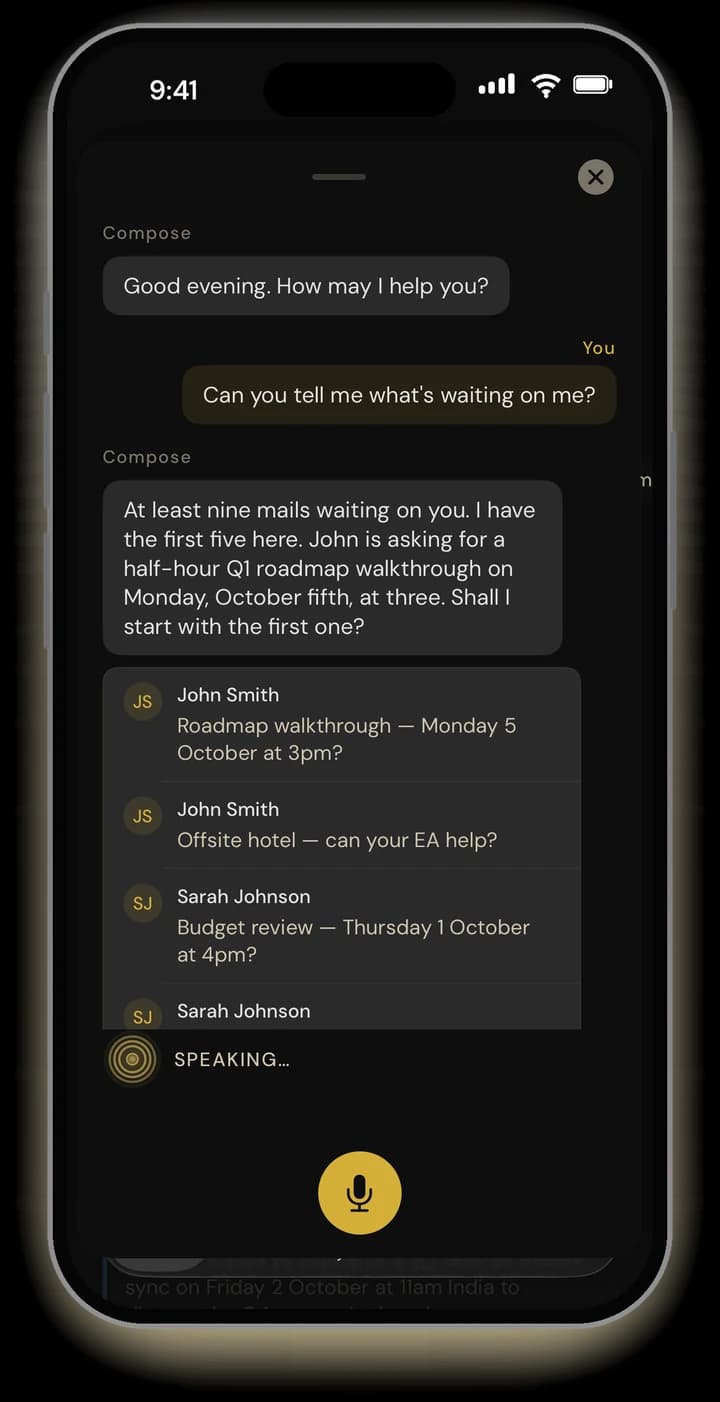
- “What’s waiting on me?” — hear the mails that need you, ranked, with what each one asks.
- Reply, forward, book the meeting, add the task — say it the way you would tell an assistant.
- Every outgoing action is read back to you first. Nothing is sent until you say yes.
- Made for the car, the walk, and the gap between meetings.
Your inbox, briefed
before you open it.
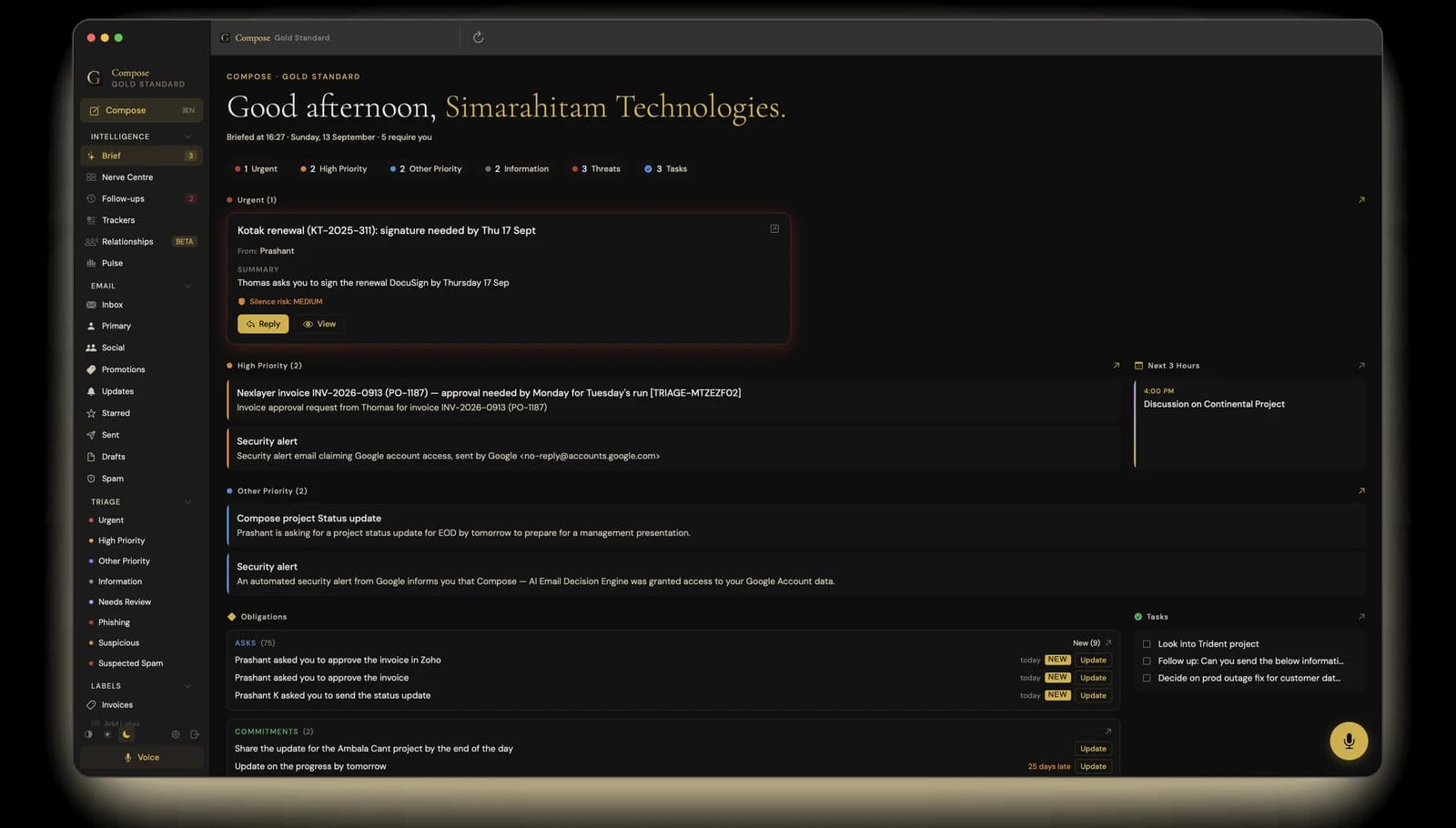
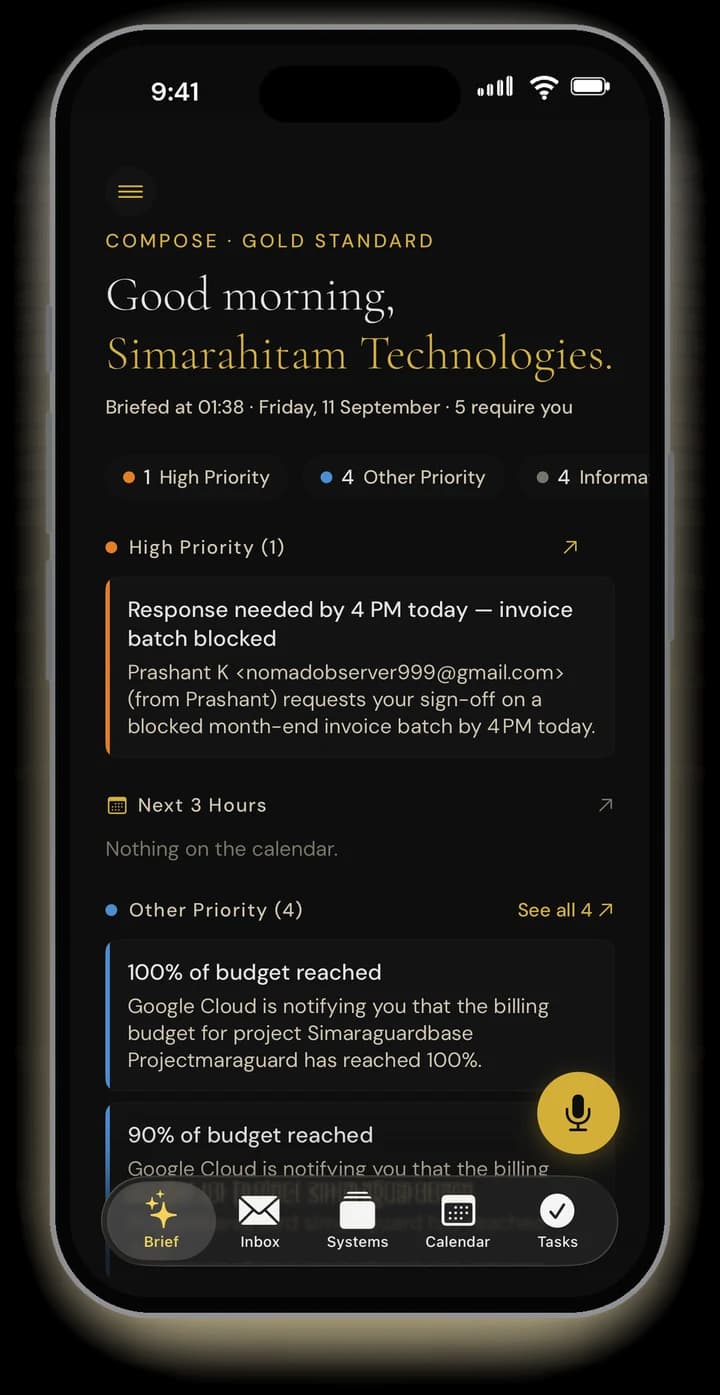
- What needs you, ranked — high priority first, information last, threats counted and kept aside.
- The next three hours from your calendar, beside the mail that matters.
- Every open ask, commitment and waiting-on in one place, with how late each one is.
- Your tasks, and a line at the end that says the rest can wait.
See the ask.
See the silent risk.
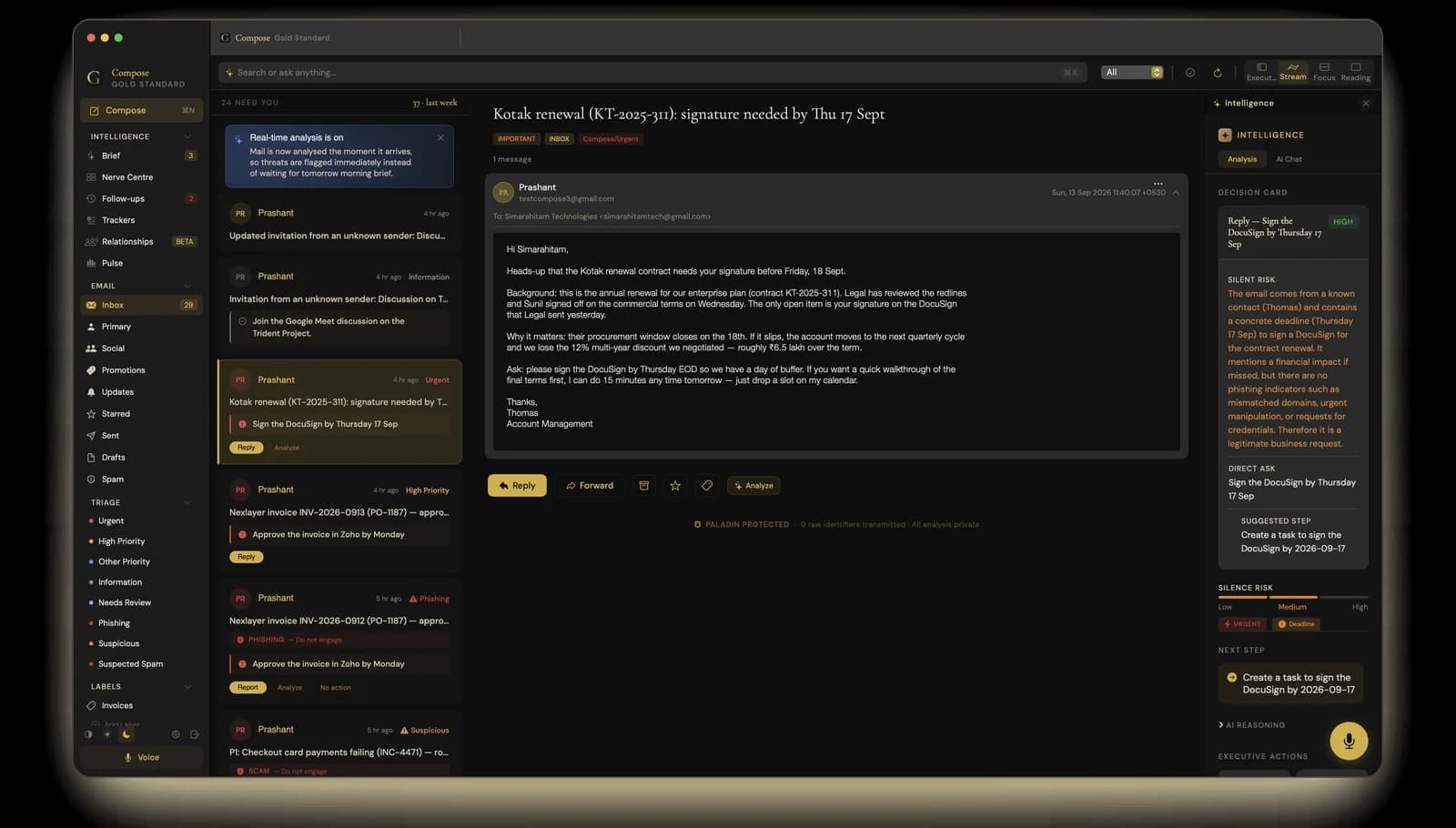
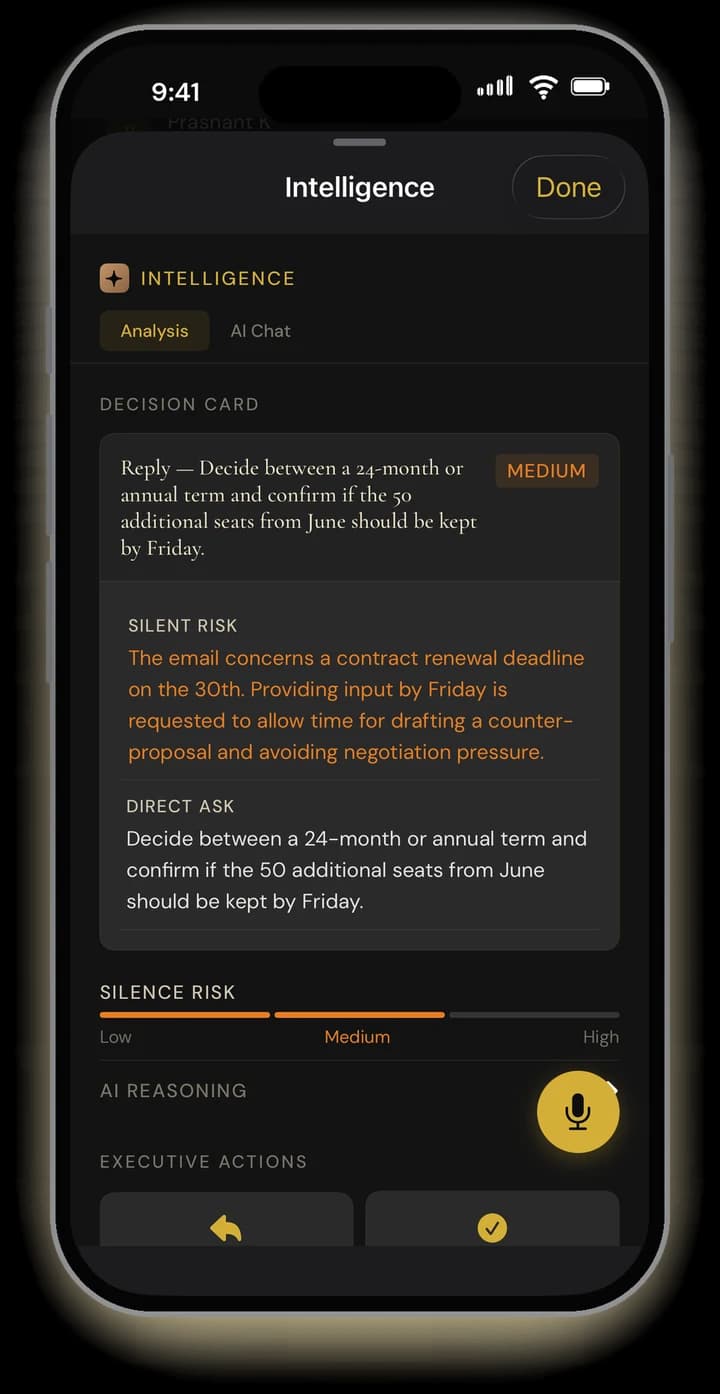
- Open any mail for its Decision Card: what they are asking, by when, and what not replying would cost.
- A suggested next step you can take in one tap — reply, a task, a meeting.
- Phishing and payment scams are flagged before you act on them.
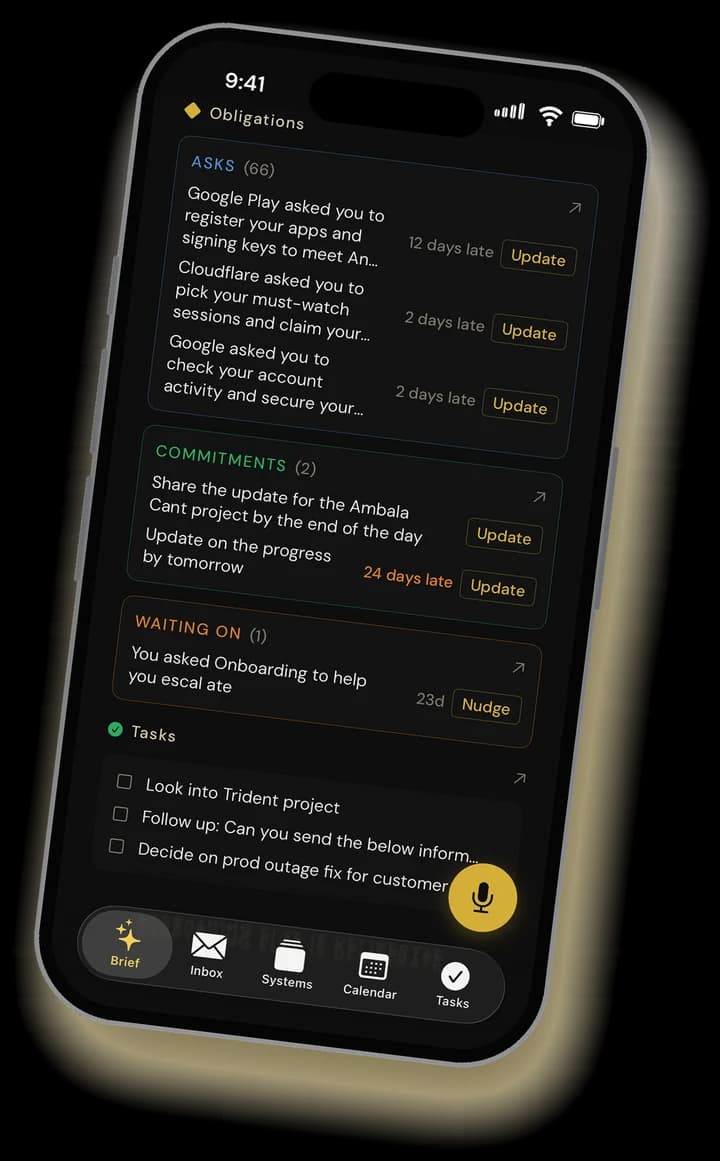
Every ask. Every promise.
Tracked until it’s done.
- What people asked of you, what you promised, and what you are waiting on — picked up from your mail on its own.
- Items close themselves when the reply or the attachment goes out.
- Reply to someone by voice and Compose reminds you of anything you still owe them.
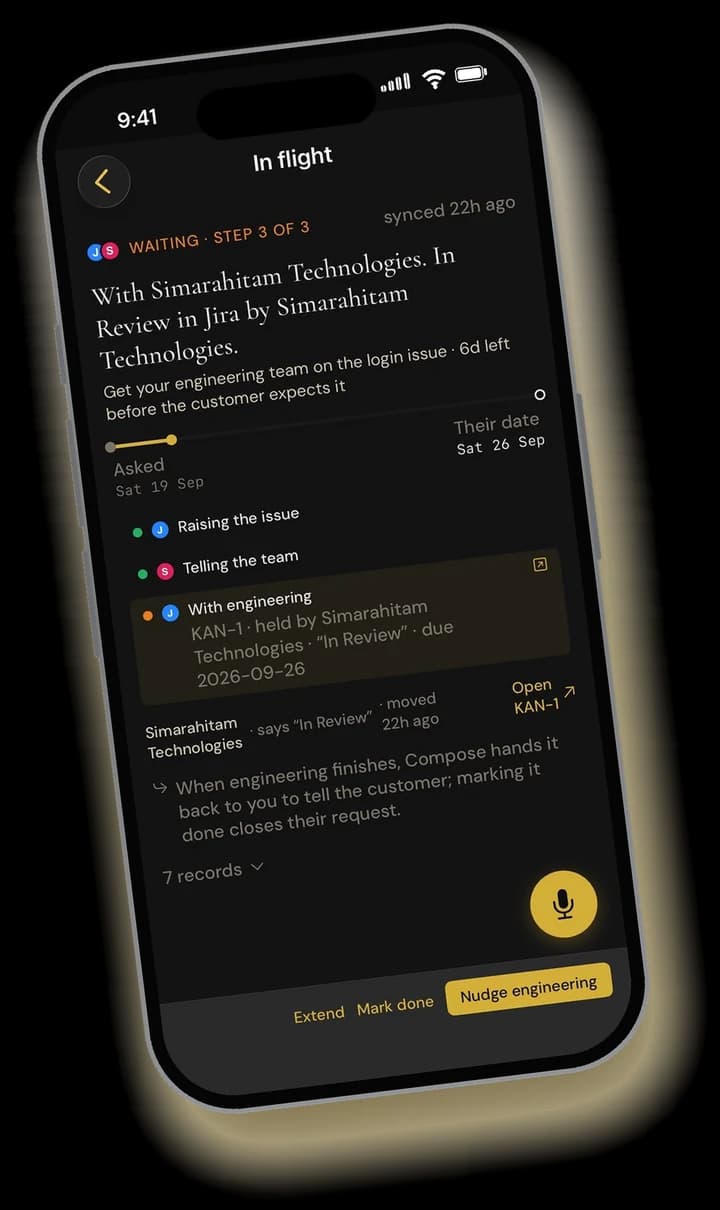
Follows the ask across your tools.
Hands it back done.
- Connect Jira and HubSpot, then ask by voice where an issue stands or which stage a deal is at.
- Move an issue, log a note, add a task — read back to you first, done on your yes.
- See a delegated request step by step, from the mail that started it to the team that holds it.
Speaks your language.
Writes theirs.
Mail in Spanish, French, Arabic, Hindi and other major languages is understood and summarised for you in English — what they are asking, and by when.
Reply in English as you always do. Compose writes back in the sender's language, and reads it to you in English before it goes, so you always know what you are agreeing to.
One assistant,
on the phone and at the desk.
One download from the App Store. Your brief, your commitments and your conversations with Compose follow you between iPhone and Mac.
Private by design.
Compose reads your Gmail to brief you and to act for you — and for nothing else. Personal details are redacted before any AI model sees your mail. Exactly what it reads, what it stores and how to delete it is in our Privacy Policy.
PALADIN redaction
Before your mail reaches an AI model, PALADIN — our redaction engine — replaces the details that identify people, such as email addresses, phone numbers, account numbers and names, with placeholders. They are put back only in what you see.
Never sold, never trained on
We never sell your information, and we do not train AI models on your personal data.
Yours to disconnect
Compose works with your existing Gmail account. Revoke its access at any time.
Prefer to stay inside Gmail?
The Compose Gmail Add-on brings the brief and decision cards into Gmail on the web.
Questions
What is Compose Gold Standard?
An executive assistant for your Gmail, on iPhone and Mac. It reads every mail as it arrives, briefs you on what needs you, keeps track of what you owe and what you are owed, and lets you reply, schedule and follow up by voice or by touch.
Does it work with my existing Gmail account?
Yes. Sign in with Google and Compose works with your Gmail or Google Workspace account. Your mail stays in Gmail, and anything you do in Compose — replies, archiving, labels — shows up there too.
What can I do by voice?
Ask what is waiting, hear a mail summarised, reply or forward, book a meeting, add a task, or check a Jira issue or a HubSpot deal once they are connected. Anything that leaves your account is read back to you first and only happens when you say yes.
Which devices does it run on?
iPhone and Mac. It is one download from the App Store.
How much does it cost?
Every new account starts with a 14-day free trial, with no card needed to begin.
Is my mail private?
Before your mail reaches an AI model, PALADIN — our redaction engine — replaces the details that identify people, such as email addresses, phone numbers, account numbers and names, with placeholders. We never sell your information and do not train AI models on your personal data. Our Privacy Policy explains exactly what is read and stored.
Does it understand mail in other languages?
Yes. Mail in Spanish, French, Arabic, Hindi and other major languages is summarised for you in English, and replies can go out in the sender’s language — read back to you in English before they are sent.
I live in Gmail on the web. Is there something for me?
Yes — the Compose Gmail Add-on brings the brief and decision cards into Gmail on the web.
Your inbox, handled.
Starting today.
Download Compose for iPhone and Mac. Free for 14 days.