Compose for GmailComing soon to the Chrome Web Store
Compose, inside Gmail in Chrome. Who owes what on every mail, the Brief above your inbox, and the same assistant as the iPhone and Mac app — without leaving Gmail. Anything for someone else is prepared in Gmail or Google Calendar for you to send.
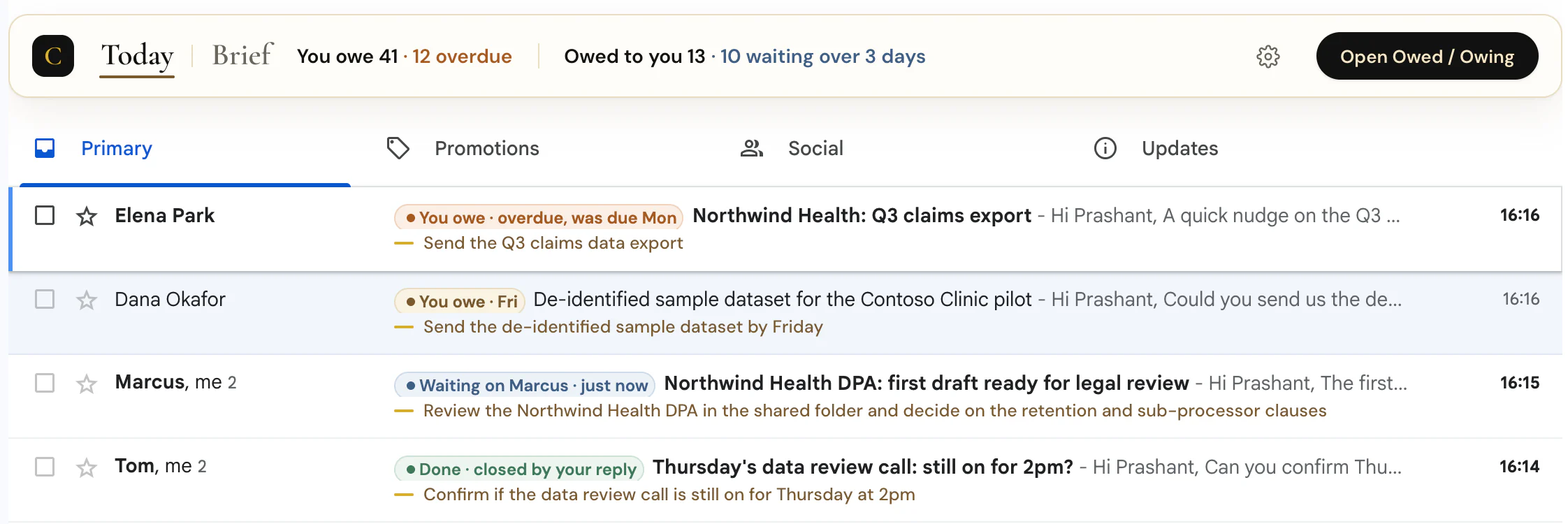
Who owes what,on every row.
- A chip on each tracked mail: “You owe · Fri”, “Waiting on Marcus · 5 days”, “Done · closed by your reply”.
- A gold “needs you” line under the subject of the mails that need you, from the analysis Compose already did.
- The Today bar on top: what you owe, what’s overdue, and who has kept you waiting over three days.
Rest on a mail.Act in one key.
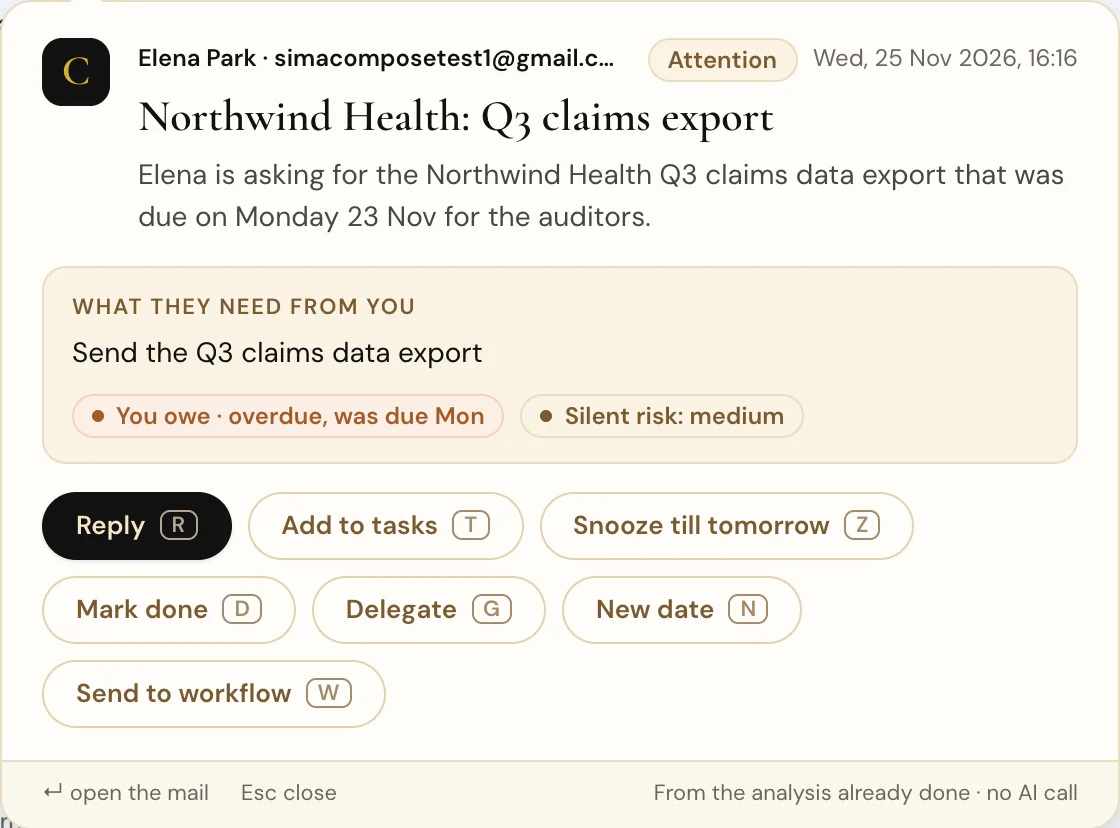
- Hover for half a second, or press i, to see the summary and what they need from you.
- Every button shows its key: Reply, AI Draft, Mark done, Delegate, New date, Send to workflow or Google Tasks.
- The right actions for the mail: Yes / No / Maybe on an invite, Unsubscribe or Archive on a newsletter.
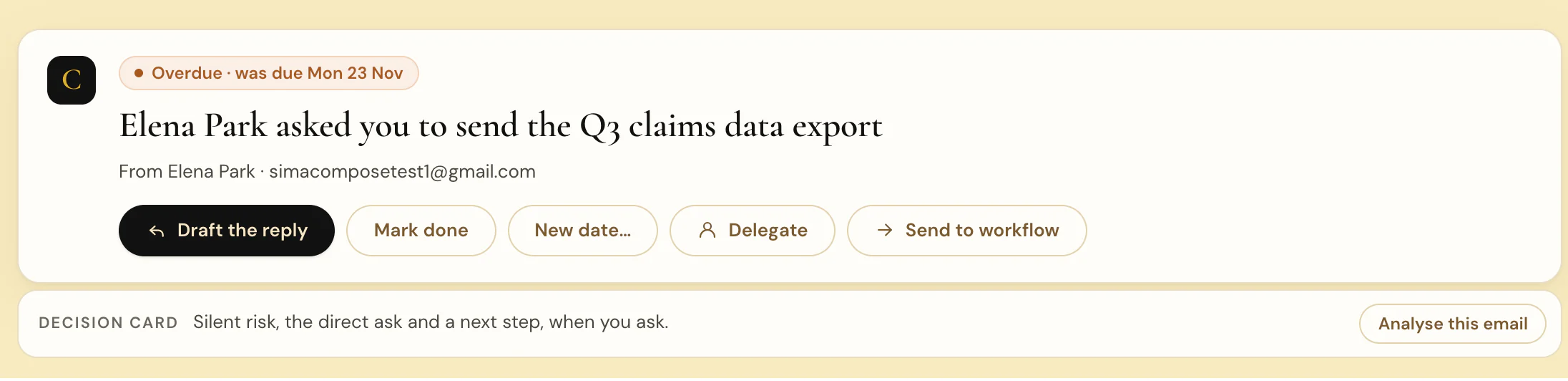
Open a thread,see what it’s waiting on.
- A strip at the top of the thread: who asked, for what, and when it was due.
- Draft the reply, mark it done, move the date, delegate it, or send it to a workflow.
- A Decision Card on demand: the silent risk, the direct ask, and a next step.
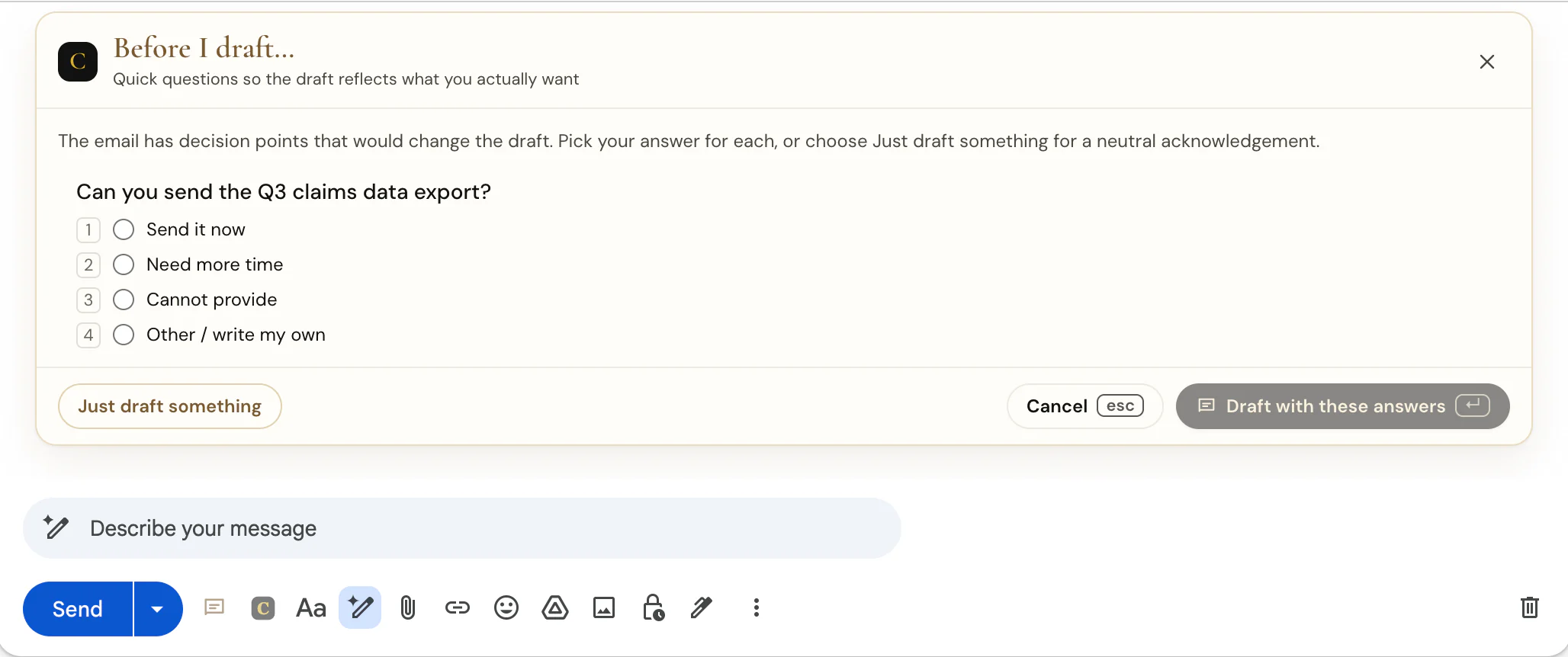
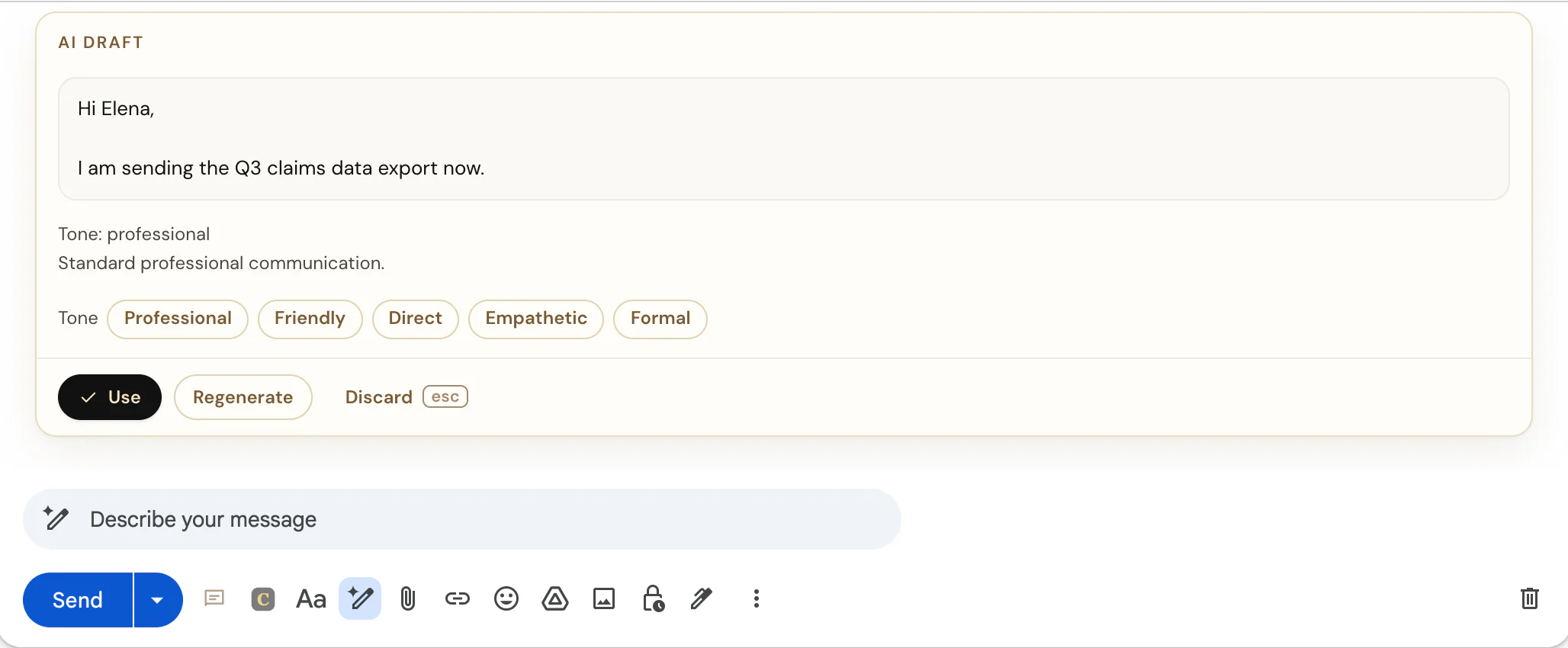
A draft that asksbefore it writes.
- When the mail needs a decision, AI Draft asks yours first: send it now, need more time, or something else.
- Pick a tone, regenerate, or discard. Use puts the text in your reply, above your signature.
- You edit it and press Gmail’s Send yourself.
Your Brief,above the inbox.
- A Brief tab beside Today: what’s urgent, what’s high priority, and your tasks, counted for you.
- Open the full Brief in Gmail, with your next meeting, your obligations and your Google Tasks.
- Owed / Owing gets its own page in Gmail’s left menu: everything you owe and everything owed to you.

Also in the extension
⌘K assistant
The same assistant as the iPhone and Mac app. Ask what’s waiting on you; when you ask it to send, forward or invite, it prepares it in Gmail or Google Calendar for you to send.
Check on Send
A quick check before your mail goes. It never stops you: when it has something to say, you choose Send anyway or Edit.
Promise chip
Write “I’ll send it by Thursday” and Compose shows it will track the promise when you send. Change the date, or say don’t track.
Included in Add-on Pro.Private by design.
The extension comes with the Compose Add-on plan, $12 a month, alongside the Gmail Add-on. Compose Gold Standard covers it too.
Fair use: 30 assistant commands a day on the Add-on plan (shared by the Gmail Add-on and the Chrome extension), 100 a day on Gold Standard. Shortcuts and confirmations don’t count, and the allowance resets at midnight where you are. Terms 8.2.2
Masked before AI analysis
Your mail is processed by Compose’s servers exactly as for the Gmail Add-on and the app: personal details are masked before AI analysis.
Drafts — you send
Replies, forwards and invites are prepared in Gmail or Google Calendar. You check them and press Send.
No tracking
The extension talks only to Compose. It carries no analytics or third-party telemetry, and your sign-in stays in the extension, out of reach of the page.
The details are in our Privacy Policy.
Be first in.Coming soon to the Chrome Web Store.
Tell us and we'll write when it's on the Chrome Web Store. Until then, Compose is in Gmail through the Gmail Add-on.