They said it in the email.Compose puts it in your systems.
A client says they’ve paid; a prospect asks for pricing; a customer signs. Compose reads the mail, finds the record in HubSpot or Xero, and lines up the update — record the payment, add the contact, move the deal. You check it and choose it. Nothing changes until you do.
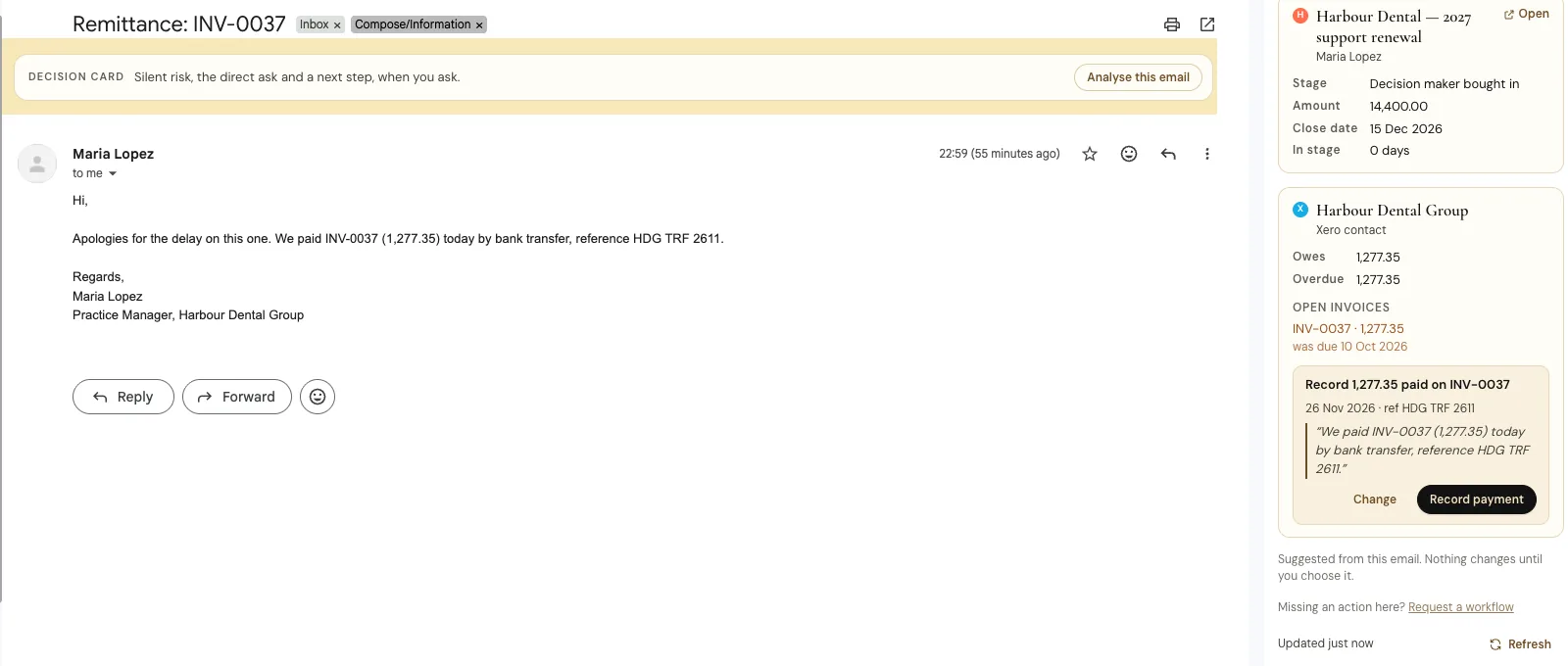
Beside the mail,the update it calls for.
The record, beside the mail
Open a mail and see what HubSpot and Xero hold about the sender: the deal and its stage, what they owe, which invoices are open.
The update the mail calls for
Record the payment they just told you about, move the deal they just signed, add a new prospect and their deal, log the mail, add a task — each quoting the sentence it came from.
Yours to choose
Adjust the amount, date or stage first if you need to. One tap writes it, checked against the live record, and the panel shows it done.
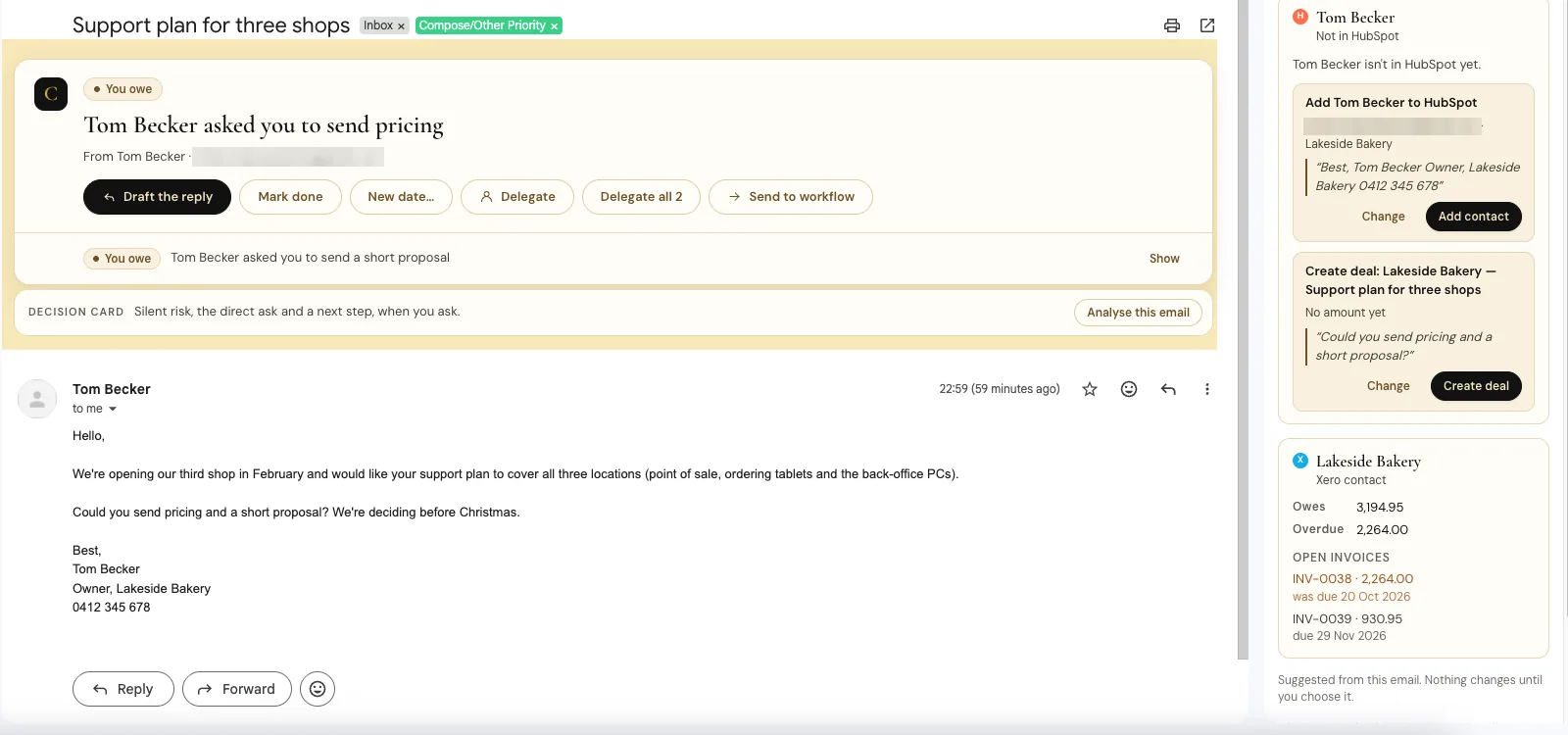
Your tools,from the mail that needs them.
HubSpot
Deals and stages, contacts, tasks, notes — beside the mail.
Xero
What a client owes, open invoices, payments — beside the mail.
Jira
Raise an issue from a mail, and follow it to done.
Slack
Tell the team, from the mail that needs them.
Asana
Turn a request into a task in the right project.
Notion
File what arrives by email where your team keeps it.
Something else your team uses? Bring it to the call.
Every team’s workflow is different.So we start with yours.
- 1
Book a call
30 minutes. We show Compose on mail like yours, and you walk us through the workflow: what arrives by email, and what your team does with it.
- 2
Agree the next steps
Which tools, what Compose should do, and what it takes to get there.
- 3
We set it up with your team
We connect your tools and build the workflow. When it’s live, it’s there beside your mail in Gmail.
Nothing changes until you choose it
Compose suggests; you decide. Every update waits for your tap, and you can change it first.
Masked before AI analysis
Personal details in your mail are masked before AI analysis, as for everything else in Compose.
Only what the update needs
When you choose an update, HubSpot or Xero receives just that — for a payment, its amount, date and reference.
Workflows run in Gmail through the Compose Chrome extension. The details are in our Privacy Policy.
Show us the email.We’ll show you the workflow.
Book a 30-minute call. Bring an email your team handles by hand every week.